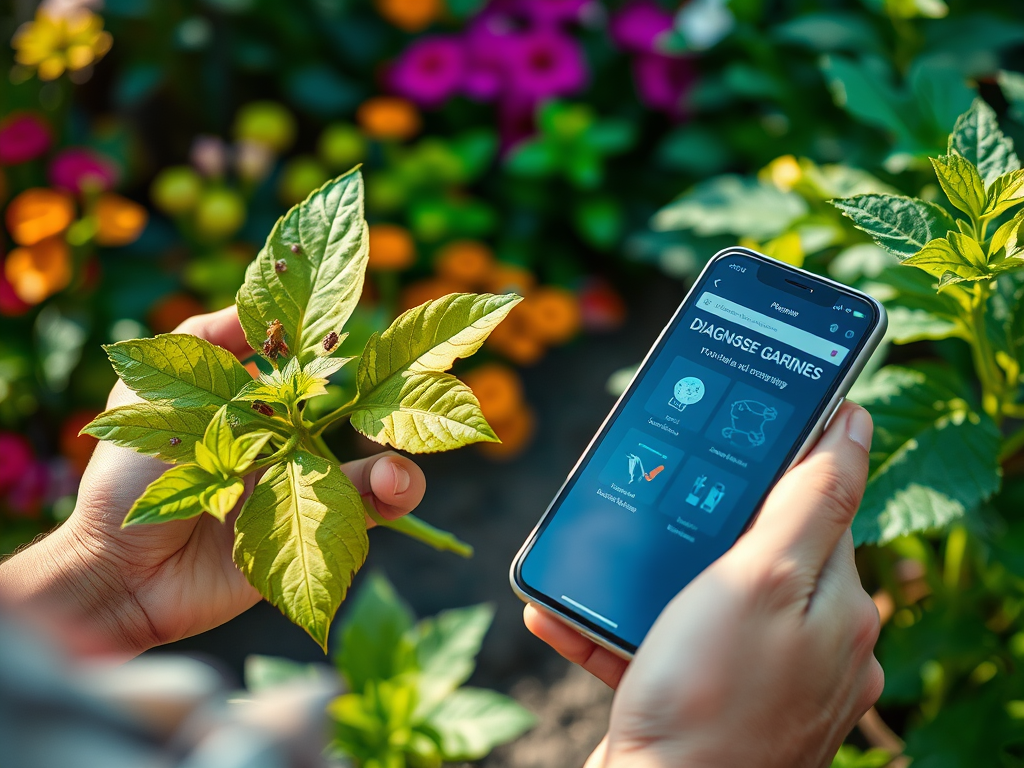
AI is no longer just for tech wizards and scientists. Today, even hobby gardeners can use smartphone apps and online platforms to identify plant pests in seconds. But with so many options and a flood of information, it’s easy to make mistakes or miss out on the full benefits. That’s why we’ve gathered these expert-level tips for AI-based pest diagnosis—to help you avoid common pitfalls, optimize your results, and keep your indoor or small-space garden thriving. If you’ve ever wondered whether AI can really spot that bug on your hibiscus or powdery mildew on your basil, you’re in the right place!
Care Tips
- Always capture clear, well-lit photos of affected leaves or stems for the best AI analysis.
- Double-check AI results with a trusted plant care guide or an expert if you’re unsure.
- Update your AI app regularly to access the latest pest databases and features.
- Use AI diagnosis as a starting point, not a final answer—consider all symptoms and context.
- Be aware of local pest trends; some AI tools perform better with regional data sets.
- Combine AI insights with manual inspection for a complete pest management approach.
- Document your findings to help improve AI accuracy and track recurring issues.
Background: Understanding AI-Based Pest Diagnosis
Artificial intelligence has revolutionized many aspects of our lives, and gardening is no exception. Expert Tips for AI-Based Pest Diagnosis start with understanding how these systems actually work. AI-based pest diagnosis uses machine learning and computer vision to analyze photographs of plants, leaves, and sometimes even microscopic features. The AI compares your photo to vast libraries of images and known pest signatures, then suggests possible matches and recommended actions.
Most AI pest diagnosis tools are available as smartphone apps, web platforms, or even plug-ins for garden sensors. The technology is improving rapidly—today’s best apps can distinguish dozens of common pests, diseases, and deficiencies by analyzing subtle patterns invisible to the human eye. However, no AI tool is perfect. Results depend on image quality, database size, and the complexity of the pest problem.
For small-space gardeners, especially those growing indoors or in containers, AI-based diagnosis is a game changer. Limited space can lead to quick pest outbreaks, so fast, accurate detection is crucial. With the right approach, AI tools can help prevent infestations, reduce pesticide use, and keep your plants healthy and productive.
Supplies, Tools, and Setup
Getting started with AI-based pest diagnosis doesn’t require a lab or expensive equipment. Here’s what you need for an efficient and effective setup:
- Smartphone or Digital Camera: Most AI tools rely on high-quality photos. A recent smartphone with a good camera is usually enough.
- AI Pest Diagnosis App: Choose a reputable app or web tool. Look for ones with high user ratings, frequent updates, and a broad pest database.
- Good Lighting: Natural light is best. Avoid harsh shadows or direct sunlight that washes out color details.
- Stable Surface or Tripod: Keep your camera steady for sharp images. A tripod is handy for close-ups or time-lapse monitoring.
- Notebook or Digital Log: Tracking your findings helps improve AI accuracy and gives you a record of recurring problems.
- Optional: Magnifying glass or clip-on macro lens for your phone can help capture tiny pests like spider mites or aphids.
Before you start, it’s smart to clean your camera lens, check your internet connection (many apps process images in the cloud), and make sure you have the latest version of your chosen AI tool.
Step-by-Step: Using AI for Pest Diagnosis
Ready to put AI to work in your indoor or small-space garden? Here’s a detailed, step-by-step guide to getting accurate, actionable results every time.
Best Practices for Accurate Identification
- Photo Quality Matters: Wipe your lens, use steady hands or a tripod, and focus on the affected area. Take multiple shots—close-ups, mid-range, and full-plant views.
- Capture Context: Include both healthy and affected leaves, stems, or fruit in the frame. This helps the AI compare differences and make a more accurate diagnosis.
- Use Consistent Lighting: Snap photos in the same spot each time, preferably with natural morning light. Avoid flash, which can distort colors.
- Follow App Instructions: Some apps ask for specific angles, distances, or symptom details. Read the prompts carefully for better results.
- Label and Save: Save your images and AI reports in a folder or digital notebook. This is handy for follow-up, expert consultation, or tracking recurring issues.
Common Pitfalls and How to Avoid Them
- Blurry or Overexposed Photos: These can confuse the AI, leading to misidentification. Always review images before uploading.
- Ignoring Other Symptoms: AI may focus on visible pest damage but miss underlying disease or nutrient issues. Inspect the whole plant and note any unusual smells, growth patterns, or soil changes.
- Relying Solely on AI: Use AI as a quick screening tool, but back it up with manuals, expert advice, or a Plant Care Tips & Troubleshooting resource.
- Outdated App Versions: Old databases might not recognize new or rare pests. Update regularly and check for new features.
- Wrong Crop or Region Settings: Set your app’s location and plant type accurately to get the most relevant results.
Optimization Tricks for Better Results
- Use AI During Pest “Hot Spots”: Early morning or after watering, pests are more active and visible.
- Integrate Data Sources: Combine AI diagnosis with weather alerts, soil sensors, and regional pest reports for a full picture.
- Contribute to Community Databases: Many apps let you submit photos to help train the AI. This improves accuracy for everyone.
- Leverage AI for Prevention: Some advanced tools offer predictive alerts based on past outbreaks or climate data.
- Cross-Reference with Indoor Gardening Guides: Some pests are unique to indoor setups. Use tailored resources for context.
- Stay Informed: Follow AI tool updates, join online forums, and read reviews. The field is evolving rapidly.
Troubleshooting and Next Steps
Even with the best AI tools and expert tips, you’ll sometimes run into challenges. Here’s how to troubleshoot common issues and take your pest management to the next level.
- AI “Can’t Identify” or Gives Multiple Results: Try retaking the photo with better lighting and focus. If possible, submit different angles or parts of the plant.
- Suspect a False Positive? Double-check with a trusted resource like Herb Gardening & Kitchen Herbs or consult a local extension office.
- Pest Returns After Treatment: Review your AI logs and care practices. Some pests require multiple treatments or a change in environment.
- Database Limitations: If your AI tool isn’t recognizing a pest, search for updates, or report the issue through the app’s feedback system.
- Unusual Symptoms: Sometimes multiple issues overlap (e.g., pests plus fungal disease). Use a holistic approach: inspect roots, stems, soil, and even water quality.
- Want to Go Deeper? Consider joining local gardening groups, online communities, or advanced AI beta programs to expand your knowledge and help train the next generation of tools.
Remember, Expert Tips for AI-Based Pest Diagnosis are only as powerful as the gardener using them. Trust your observations and don’t hesitate to seek a second opinion when something doesn’t look right.
Data Table: Comparing Key Plant Care Variables
Successful pest management starts with happy, healthy plants. Here’s a quick-reference table comparing key variables for common indoor crops, so you can create the ideal growing environment and minimize pest risk.
| Crop | Light Needs | Watering Frequency | Soil Type | Pest Risk Level |
|---|---|---|---|---|
| Herbs (Basil, Mint, Parsley) | Bright, indirect | 2-3 times/week | Well-draining potting mix | Moderate (aphids, whiteflies) |
| Leafy Greens (Lettuce, Spinach) | Medium to bright | Keep evenly moist | Rich, loamy | Low to moderate (fungus gnats) |
| Tomatoes (Dwarf/Patio) | Full sun (12-14 hrs light) | 1-2 times/week (deep water) | Fertile, well-drained | High (spider mites, aphids) |
| Succulents | Bright, direct | Every 7-10 days | Sandy, fast-draining | Low (mealybugs) |
| Orchids | Filtered, bright | Once/week (avoid soggy roots) | Bark mix, airy | Moderate (scale, mites) |
Having the right care variables in place reduces plant stress, making them less vulnerable to pests. For more crop-specific advice, visit our Plant Care Tips & Troubleshooting archive.
FAQ
- How accurate are AI-based pest diagnosis tools?
- Most leading apps are about 80–90% accurate for common pests, especially if you provide high-quality photos and follow app instructions. For rare pests, accuracy may drop[^1].
- Can AI tools replace human experts or plant pathologists?
- Not entirely. AI is a helpful supplement, especially for quick screening, but complex cases or rare pests still require expert review or lab testing.
- Are there privacy risks with uploading plant photos?
- Most reputable apps anonymize and secure your data, but check privacy policies. Avoid sharing images with identifiable location or personal info.
- What if my AI app doesn’t recognize a pest?
- Try retaking the photo, update your app, or use a second opinion tool. You can also search expert forums or contact a local extension service.
- How do I choose the right AI tool for my needs?
- Look for tools with a broad pest database, good user reviews, regional customization, and active support. Try a few and see which fits your workflow best.
- Can AI help with disease diagnosis, or just pests?
- Many advanced AI apps can spot common plant diseases and nutrient deficiencies as well. Always verify with a trusted guide or expert if unsure.
- Is AI-based pest diagnosis suitable for outdoor gardens too?
- Yes! Many AI tools work for both indoor and outdoor plants. Just be sure to set your region and crop type correctly for the best results.